01
Stop relying on memory.
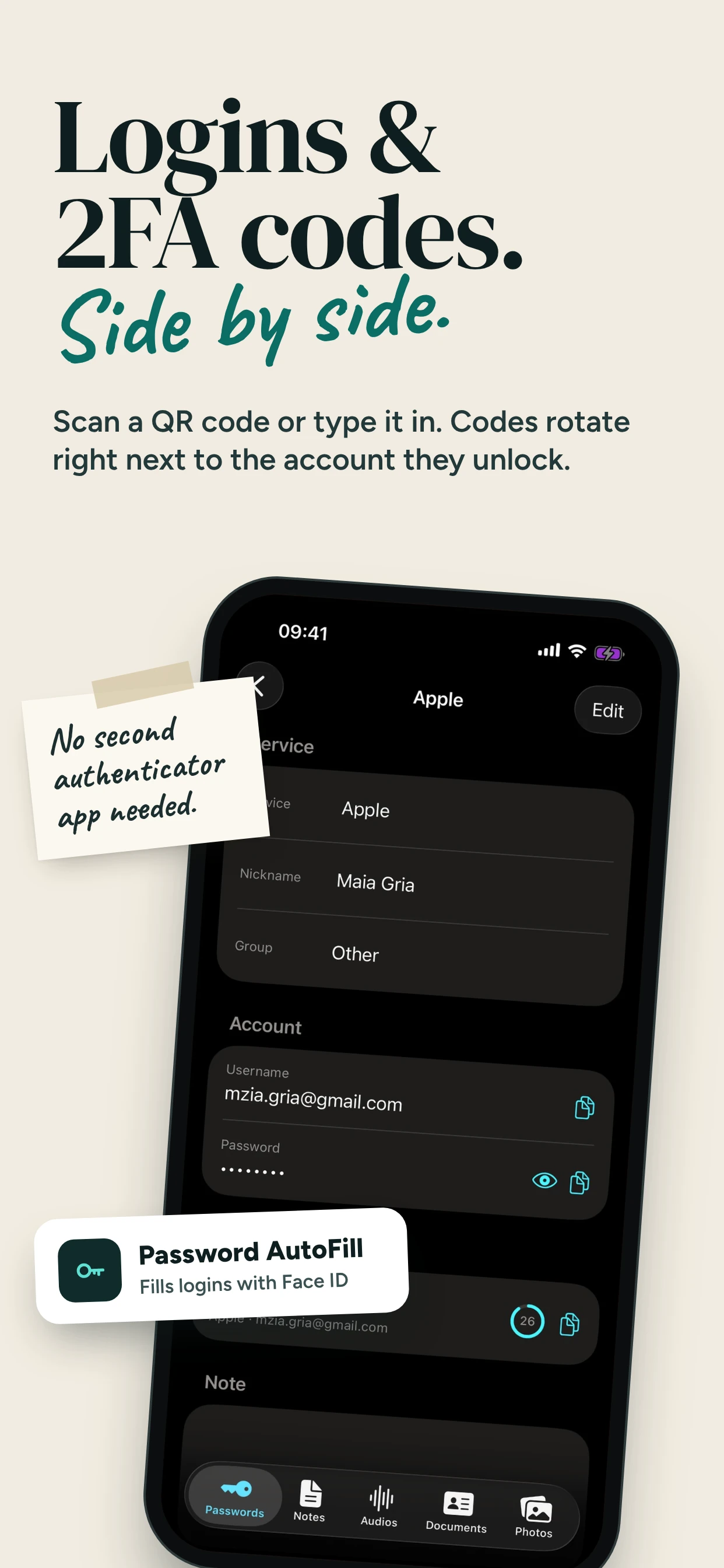
Keep logins organized and ready to copy when you need them. Group your accounts so the right details are easy to find. Premium adds AutoFill in compatible apps and websites.
Stop digging through Notes, Photos, and Files for the things you need. Keep passwords, important documents, personal photos, and private recordings together in one encrypted vault on your iPhone — ready when you need them, even offline.
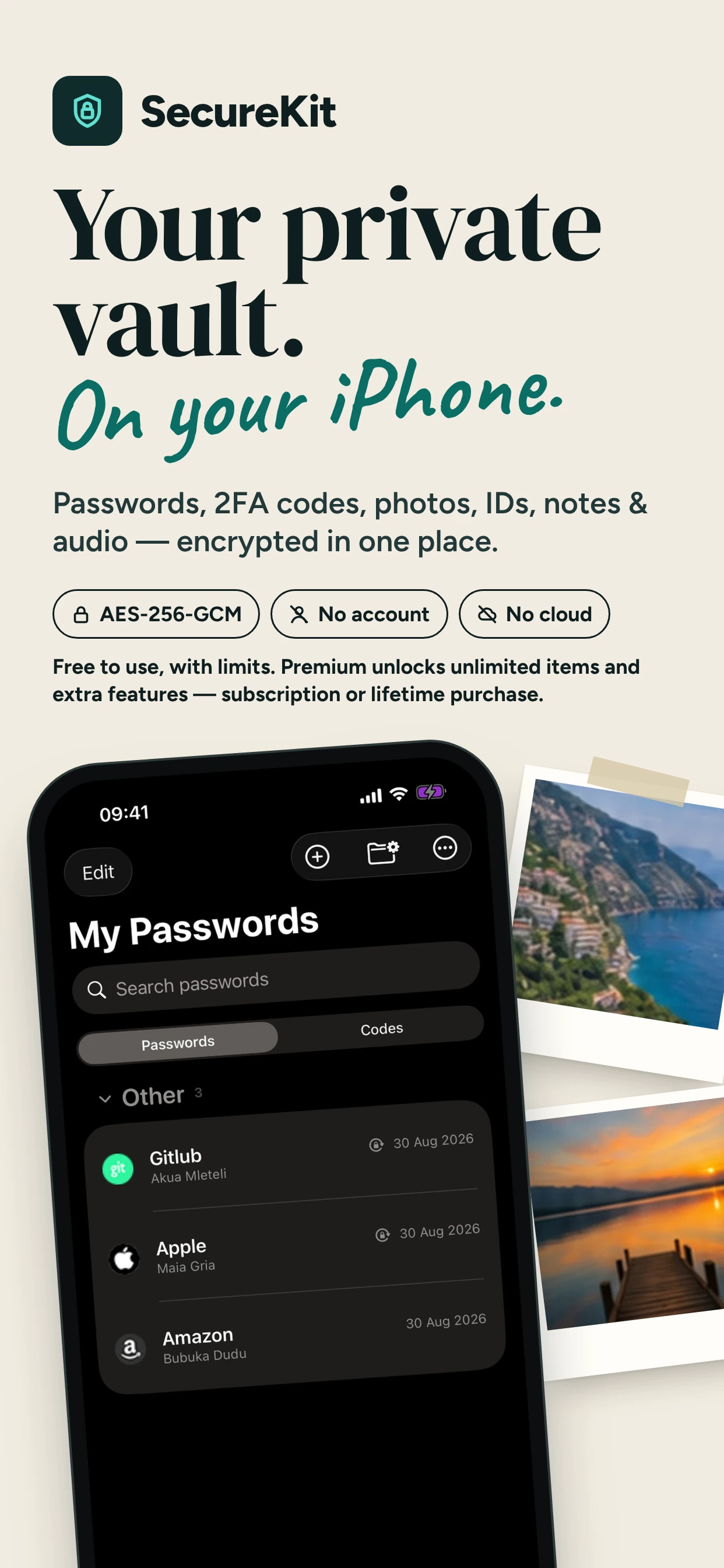

Save up to 30 passwords, 30 private notes, 10 audio items, 3 documents, and 50 photos. Each category has its own allowance. You can start using SecureKit without a subscription.
Signing in, filling out a form, or finding an important detail? Keep your private essentials organized, so you know where to look when the moment comes.
Start on your iPhone without creating a SecureKit account. Your saved vault is available offline and protected by your device authentication.
Open SecureKit and complete setup using Face ID, Touch ID, or your device passcode. No SecureKit account is required.
Save passwords and notes, import photos and documents, or record audio within your free allowances.
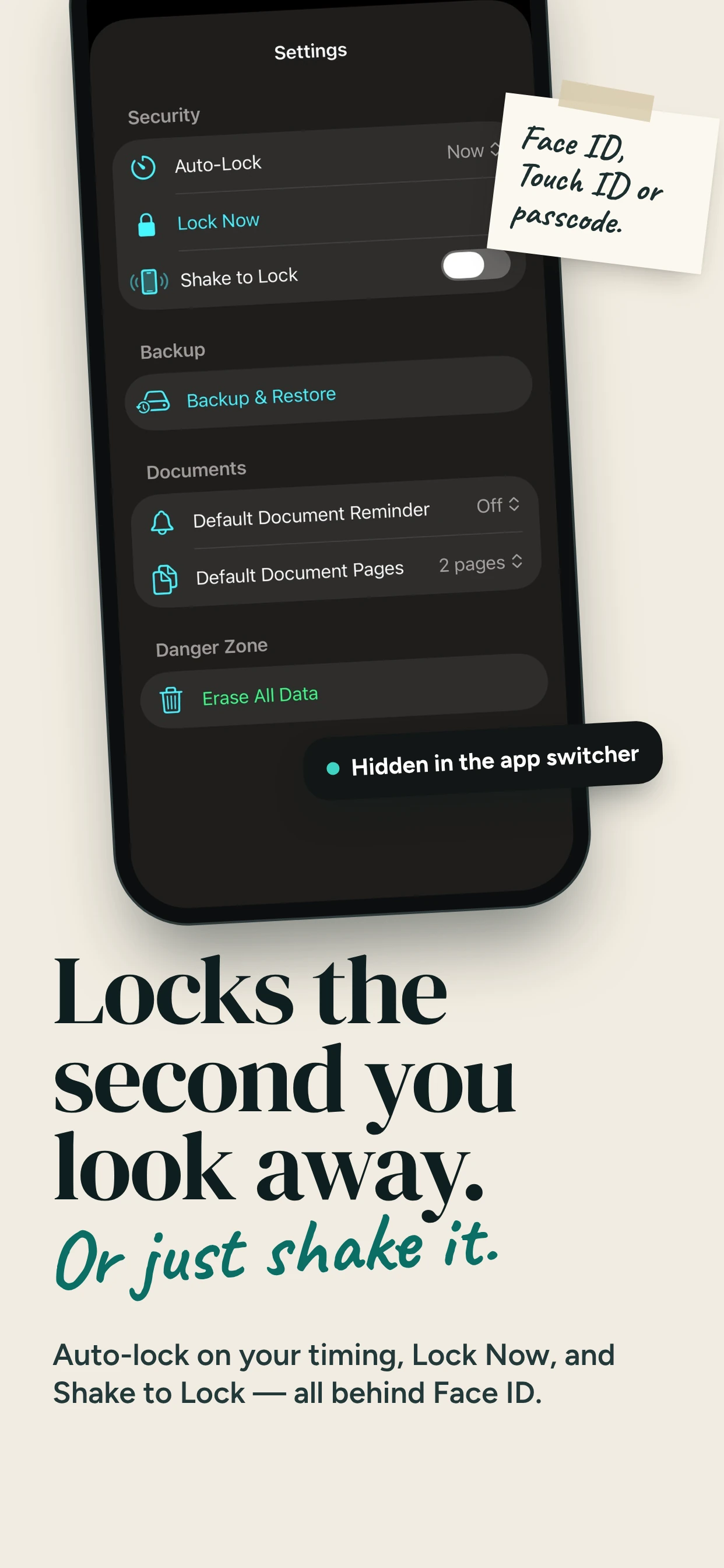
Access saved items offline. Choose automatic locking or use Shake to Lock. Sensitive previews are hidden in the app switcher.
Unlock unlimited items, Password AutoFill, new 2FA accounts, and encrypted backup creation with Monthly or Lifetime Premium.
Keep logins organized and ready to copy when you need them. Group your accounts so the right details are easy to find. Premium adds AutoFill in compatible apps and websites.
Add 2FA accounts with Premium by QR code or a setup key, and generate their codes alongside your saved logins — even offline. Existing codes keep working after Premium ends.
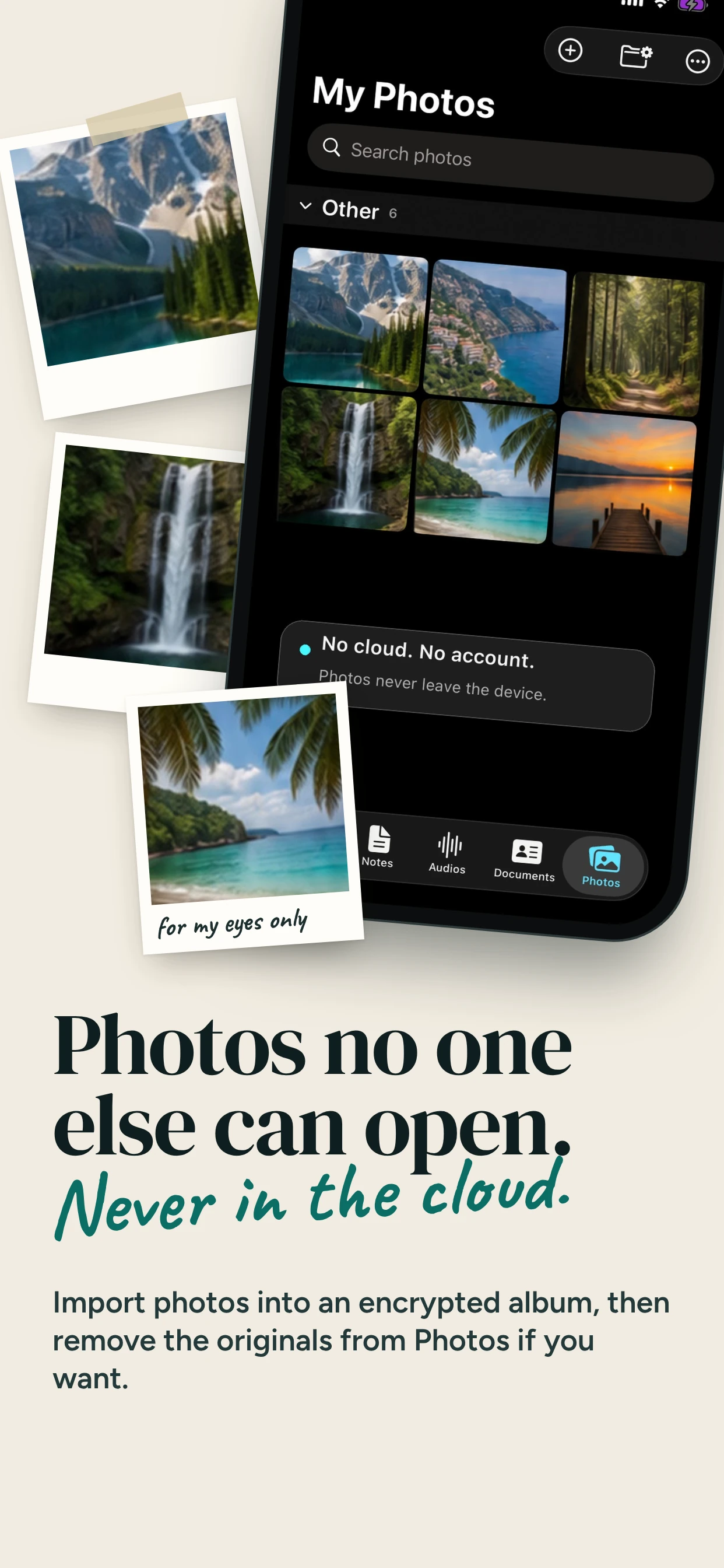
Give personal photos a separate, encrypted home. Choose what to import and organize it into private groups. Removing the originals from Photos is a separate choice, confirmed by iOS.
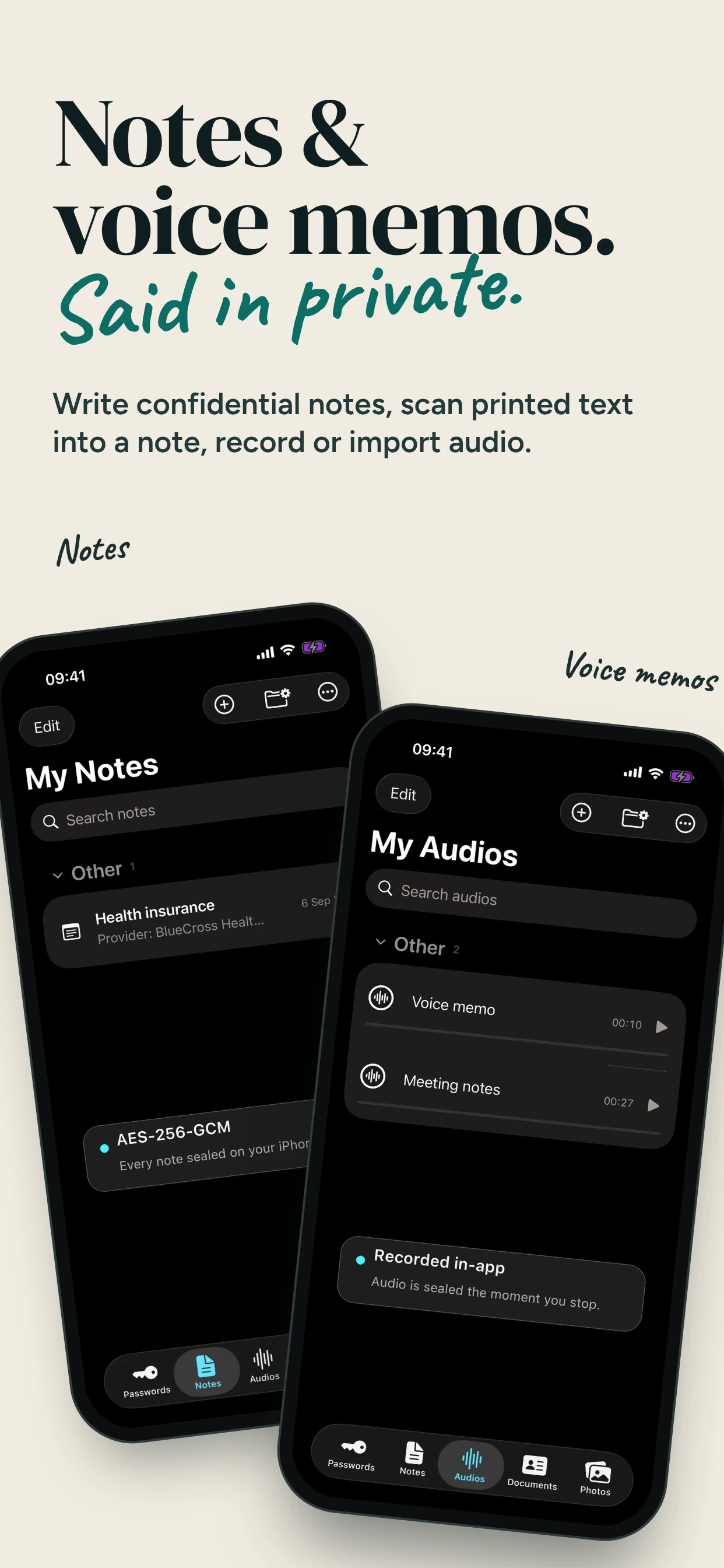
Give recovery information, personal reminders, and other sensitive text a private place of their own. Scan printed details into a private note to keep them close at hand.
Keep passport copies, insurance documents, and other important papers together. Scan or import documents, save their numbers, and set expiry reminders so you can plan ahead.
Record or import voice notes into your encrypted vault, alongside the information they belong with. Keep personal recordings organized and ready to play when you need them.
Keep your private essentials on your iPhone, without cloud sync or a SecureKit account. Open your saved items even offline, and protect access with Face ID, Touch ID, or your device passcode.
No cloud syncKeep control of where your vault lives. SecureKit does not sync it to the cloud. Upcoming iPhone–Mac synchronization will happen locally between your devices.
Use the lock you already trustUnlock with Face ID, Touch ID, or your device passcode. Vault content is encrypted with AES-256-GCM, with its key protected in the iOS Keychain.
Put your private information away when you’re doneChoose automatic locking or use Shake to Lock. SecureKit also hides sensitive previews in the app switcher.
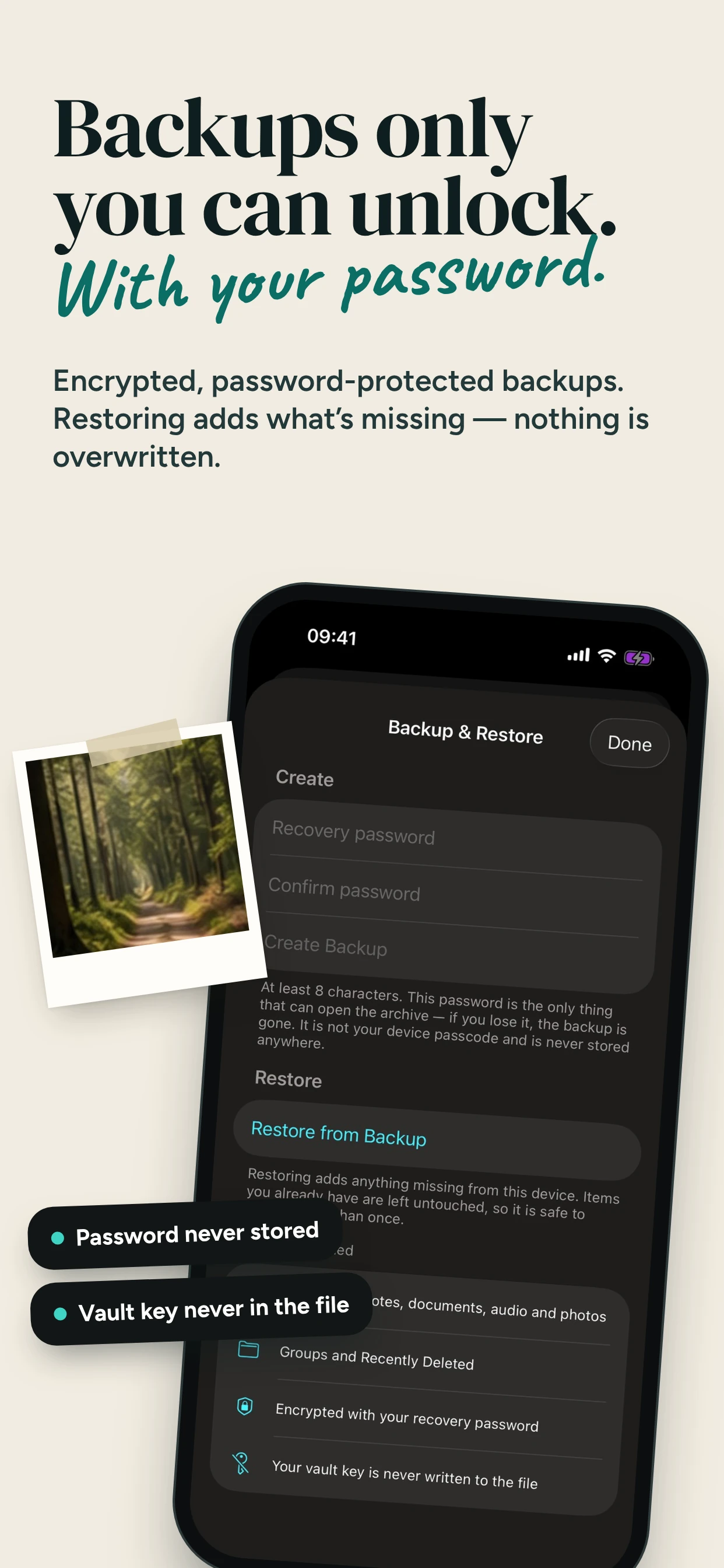
A new phone shouldn’t mean starting over.Create a password-protected encrypted backup with Premium, then restore it on another iPhone when you need to move. Restoration stays free. Keep the recovery password safe: SecureKit does not store it.
Add the passwords, documents, photos, and notes you reach for most. Start free, then choose Premium when you need more room, AutoFill, additional 2FA accounts, and encrypted backups.
| Category | Free allowance for new users | Premium |
|---|---|---|
| Passwords | 30 active items | Unlimited |
| Private notes | 30 active items | Unlimited |
| Audio | 10 active recordings and imports combined | Unlimited |
| Documents | 3 active items | Unlimited |
| Photos | 50 active items | Unlimited |
Allowances apply separately to each category. Items in Recently Deleted do not count toward them.
Choose a monthly subscription or a one-time Lifetime purchase. Lifetime provides permanent Premium access without recurring payments. Monthly Premium remains active through the paid period if you cancel. Your local price is shown before purchase.
After Monthly Premium ends, you can still view, edit, and export saved items, including those above your free allowances. Existing 2FA codes continue to work. Adding more items follows your free allowances or preserved legacy access. AutoFill, new 2FA accounts, and new backups require Premium. Restoring an existing encrypted backup remains free.
Recognized legacy users retain unlimited passwords, notes, audio, and documents. Adding photos and using Premium features requires Premium. A subscription can unlock those additional features; ending it returns you to your preserved legacy access while saved items remain usable.
Keep the information you need within reach on both iPhone and Mac. SecureKit for Mac is coming soon, with local synchronization between your devices — no cloud sync.
The Mac app and local device synchronization are in development and are not available in the current iPhone release.
Explore our existing English-language guides to passwords, photos, documents, notes, and audio.
Free access, Premium, saved data, backups, and what is coming next.
Yes. New users can save 30 passwords, 30 notes, 10 audio items, 3 documents, and 50 photos without a subscription. The allowances are separate. Optional Premium unlocks unlimited items and additional features.
Unlimited items in all five categories, Password AutoFill, adding 2FA accounts, and encrypted backup creation. Choose Monthly or a one-time Lifetime purchase.
Premium stays active through the paid period. Afterwards, saved items remain available to view, edit, and export, and existing 2FA codes still work. New items follow your free allowances or legacy rights. AutoFill, new 2FA accounts, and backup creation require Premium. Backup restoration stays free.
Lifetime provides permanent access to the current Premium features with a single payment and no recurring subscription.
Yes. You can access saved items and generate existing authenticator codes offline. Purchases and restoring purchases require a connection to the relevant store services.
The current iPhone app does not require a SecureKit account, email address, or separate registration to use your vault.
Not yet. SecureKit for Mac and local synchronization between iPhone and Mac are coming soon. Your vault will sync locally between your devices without cloud sync. These features are in development and are not included in the current release.
No. SecureKit does not sync your vault to the cloud. The upcoming iPhone and Mac synchronization will work locally between your devices.
Create an encrypted backup before you need it, then restore it using its recovery password on the other iPhone. Premium is required to create a backup; restoration remains free. Restore adds missing content without overwriting existing items. Without a usable backup and its password, SecureKit cannot recover a vault from a lost device.
Importing creates a copy in SecureKit. Removing the original from Photos is a separate choice that requires iOS confirmation. Check the import before removing originals, and review your Photos and iCloud settings when managing remaining copies.
Recognized legacy users keep unlimited passwords, notes, audio, and documents. Premium unlocks photo additions and the extra Premium features. Ending a subscription does not remove your preserved legacy rights.
Start your free SecureKit vault today. Bring the things you need most into one private place on your iPhone.
Download on theApp StoreiOS 18 or later · Free allowances included · Monthly or Lifetime PremiumSecureKit for Mac is coming soon, with local iPhone–Mac synchronization and no cloud sync.